



Marketplace Pipeline: every Microsoft deal and its next step, in one place
Stop running one Microsoft deal across six tabs.
Marketplace Pipeline is now live in WeTransact, under Go-To-Market. It brings your leads, your deals and your pipeline numbers into one place, and it puts the Microsoft step you need next on the deal itself.
It also replaces the Deal Registration page and the old Leads page. So it's one tab fewer, not one more.
You know the drill. A Microsoft deal starts as a referral in Partner Center, an account overlap in Crossbeam, or a lead from your Marketplace listing. Then it lives in your CRM. Then in deal registration. Then in a private offer. And the Microsoft account executive (AE) who owns the customer is somewhere in your inbox. Every tool holds a piece of the deal, and none of them tells you what to do next.
Not anymore.
What's in it
Leads: one inbox for every source
Every lead lands in one list, with a badge that says where it came from and why it showed up, for example "Lead shared by Microsoft account team". Accept a lead to turn it into a deal, dismiss it with a reason, or assign an owner.
Several people from the same company? WeTransact spots them and lets you group them into one deal, with one primary contact.

Deals: a board that shows where every deal stands
Your deals move from Qualifying to Developed, Proposed, Negotiating and Closed Won or Closed Lost. Drag a card to the next stage, or switch to a list if you prefer.
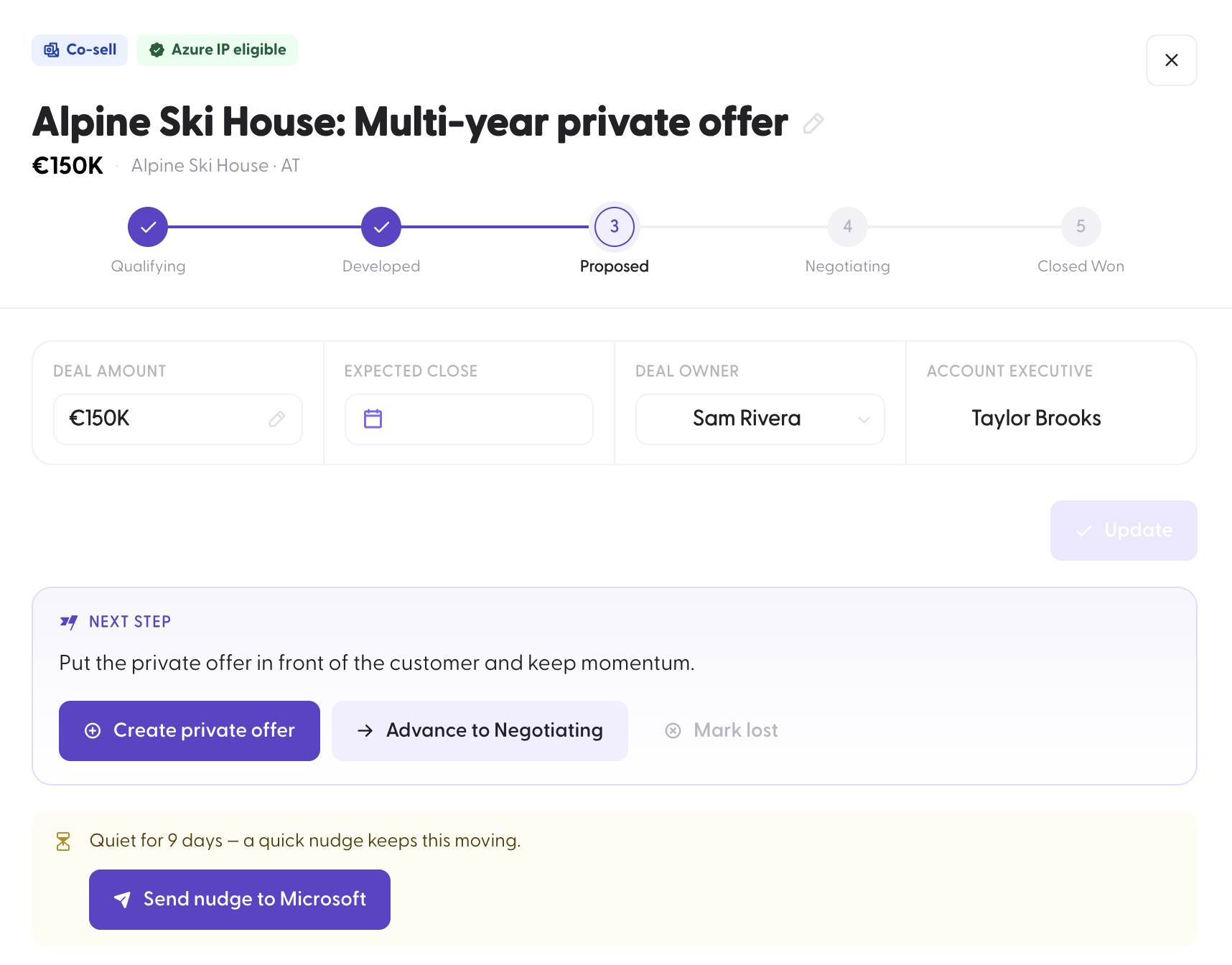
Deals with no activity get a "Quiet for N days" badge, so they don't sit unnoticed. Save your own views, by owner for example, and reassign, restage or export several deals at once.

The next Microsoft step, on the deal itself
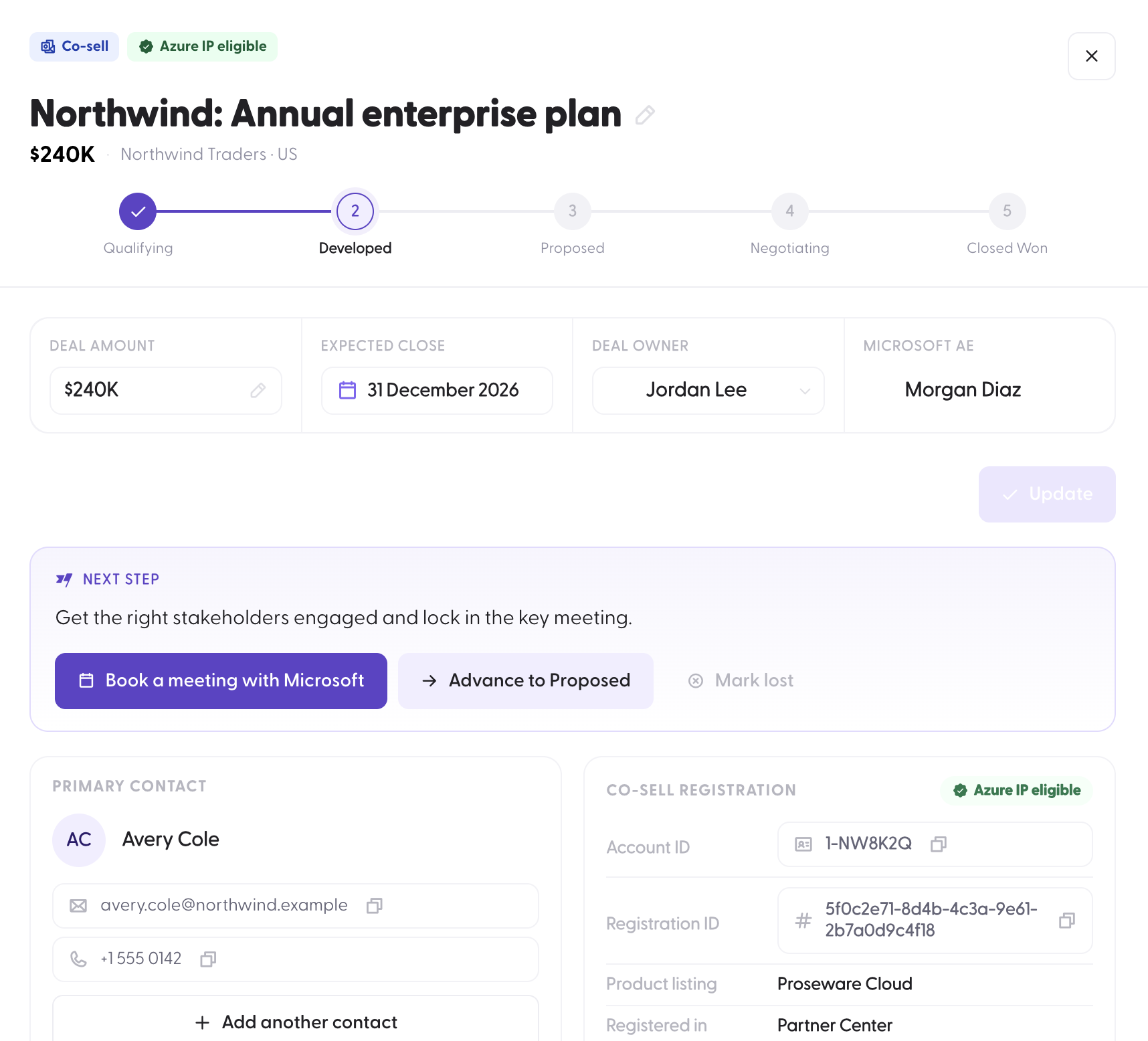
Open a deal and the Next step box tells you what moves it forward at that stage.
In Developed, book a meeting with the Microsoft AE. WeTransact drafts the email for you, with the customer, the deal value and the registration already in it. Copy it to email or Teams, add your ask, and send.

In Proposed, create the private offer straight from the deal. The contacts to notify, the solution and the value come with it, whether it's a private offer, a CSP private offer or a multiparty private offer.
Nothing is forced. Every Microsoft step is optional, and a deal can stay a simple pipeline deal.
Deal registration, built in
Register the deal with Microsoft from the deal, without retyping it in Partner Center. WeTransact checks the deal against Microsoft's eligibility rules before it goes, so you can fix what's missing first.
Once Microsoft accepts the registration and assigns its team, the Microsoft AE appears on the deal.
Analytics: where your pipeline really stands
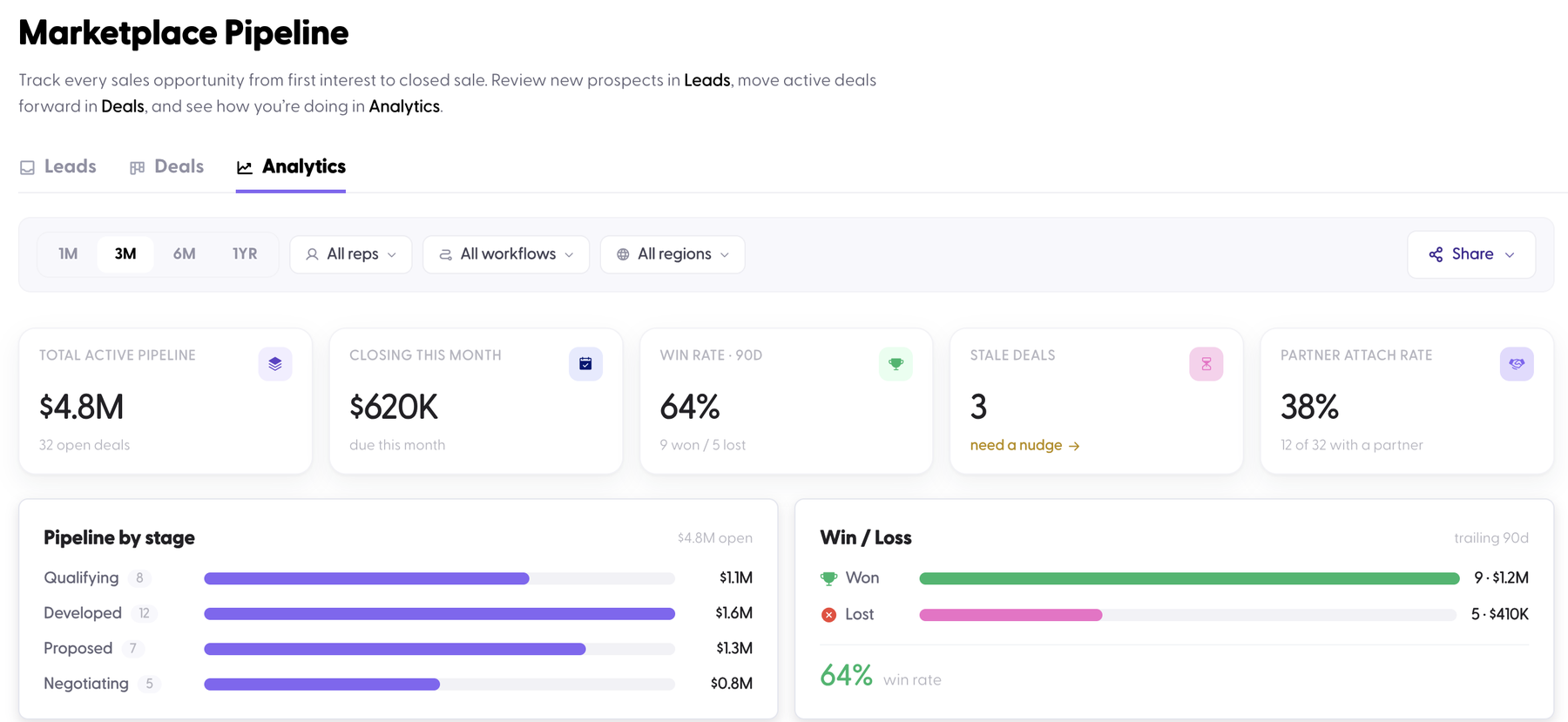
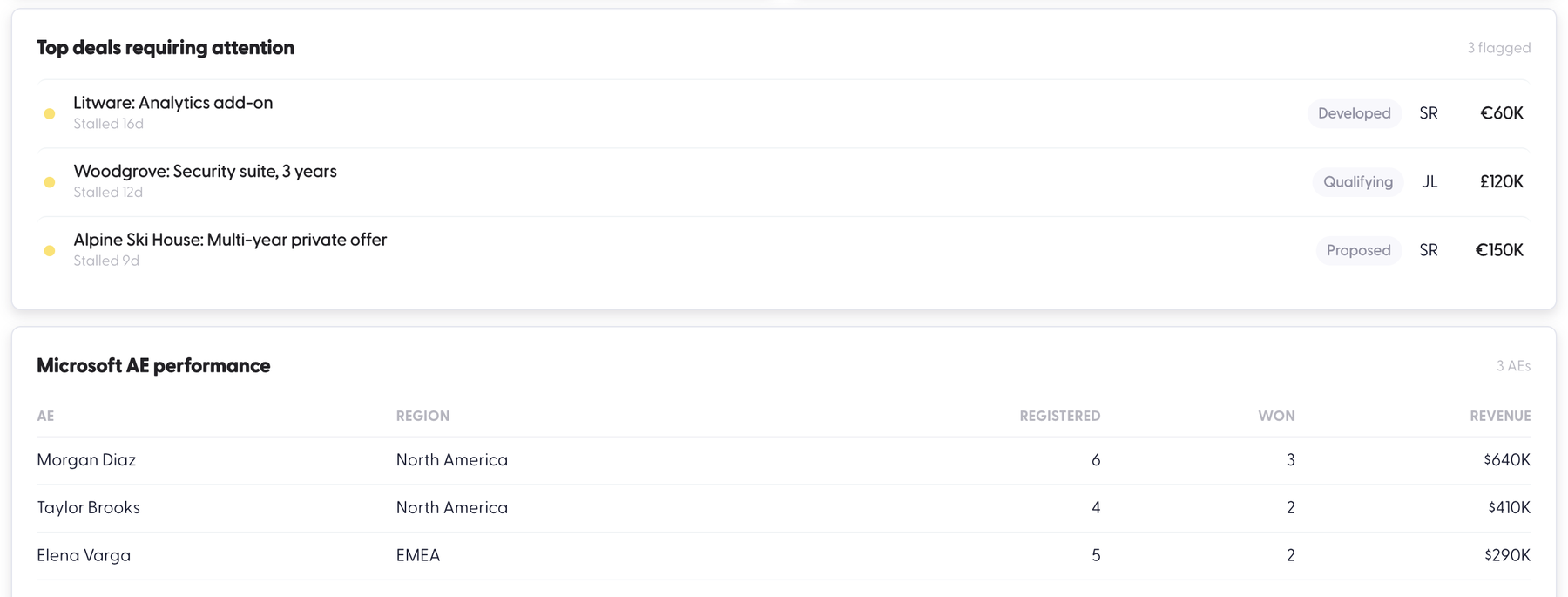
See your active pipeline, what closes this month, your win rate, how long deals sit in each stage, and which deals need attention. Send a nudge to the Microsoft or partner contact on a stalled deal in one click.
And see which Microsoft AEs actually register, progress and close deals with you, next to your own team's numbers.
What this means for you
- Every Microsoft lead in one list, so nothing waits in someone's inbox
- A clear next step on every deal, so your team always knows what to do
- No more typing the same customer three times for registration, outreach and the private offer
- Fewer deals that go quiet without anyone noticing
- A real picture of which Microsoft AEs bring deals to close, so you know where to spend your time
How it works
- Open Marketplace Pipeline. Go to Go-To-Market › Marketplace Pipeline. Your leads and deal registrations are already there.
- Clear your Leads inbox. Accept a lead to turn it into a deal and add the close date, value and owner. Dismissed leads go to Archive, where you can restore them.
- Move deals through the stages. Drag a card, or use the advance button inside the deal.
- Follow the next step. Register the deal, book the meeting with the Microsoft AE, create the private offer. Each one starts from the deal, already filled in.
- Check Analytics every week. Nudge the deals that stalled, and see which Microsoft relationships are working.
Good to know
Where did Deal Registration go? It now lives inside Marketplace Pipeline, on each deal. The Deal Registration page and Go-To-Market › Lead Generation › Leads are merged in. Bulk upload still works for leads and deals: drop a CSV or paste from a spreadsheet, then match the columns. Microsoft still reviews each registration and decides who it assigns.
Using WeTransact? Open Go-To-Market › Marketplace Pipeline today. New to WeTransact? Book a demo and we'll walk you through it on your own deals.